How to grant access to your Google Analytics account!
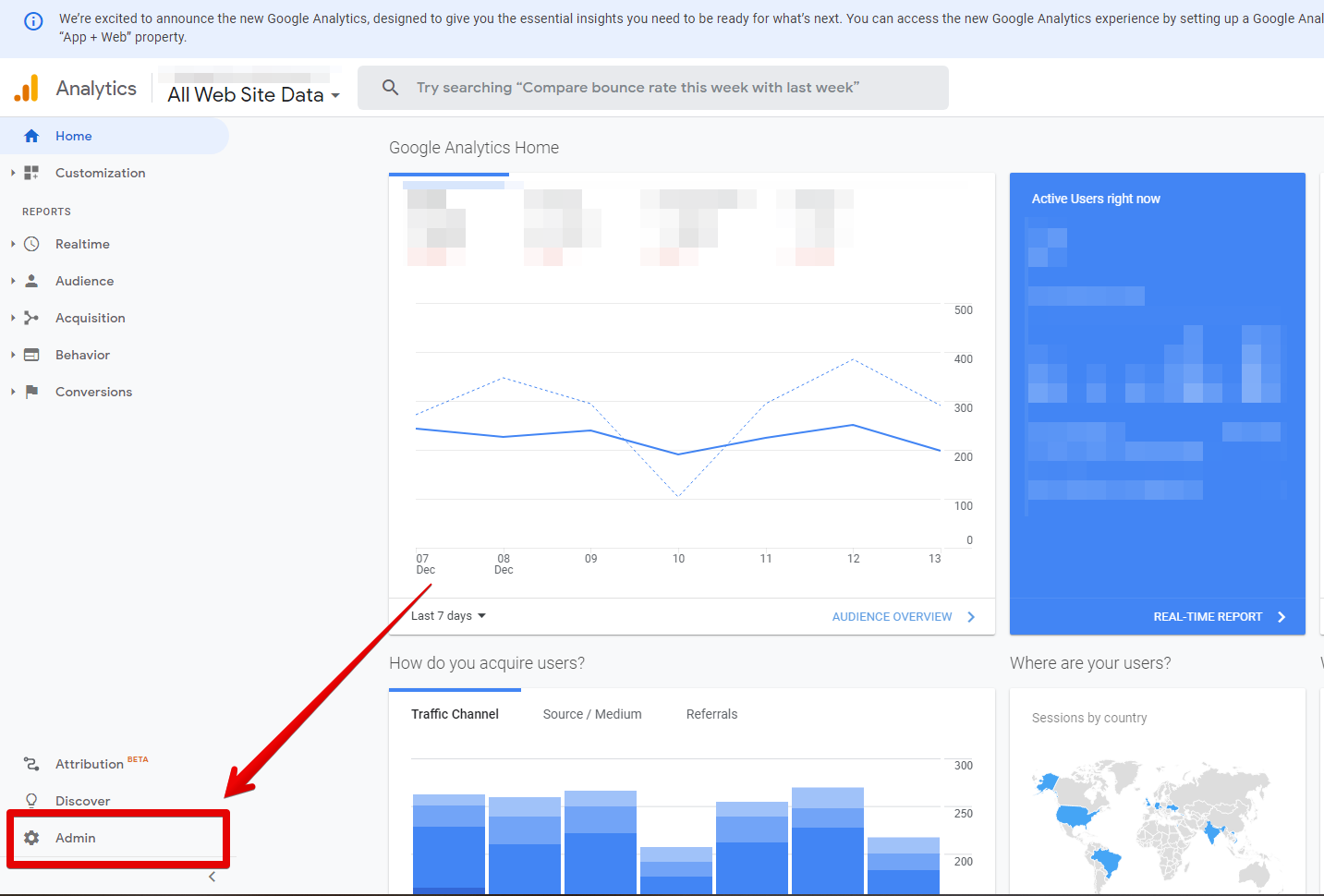
Login to your Google Analytics account and click the "Admin" tab.
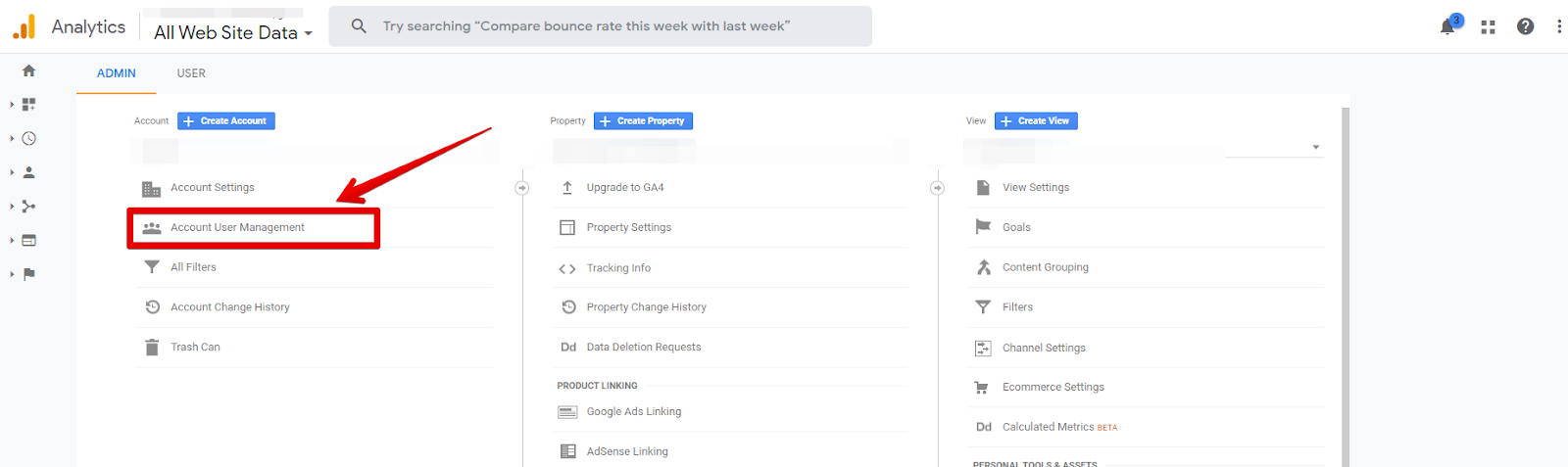
Then click "Account User Management”
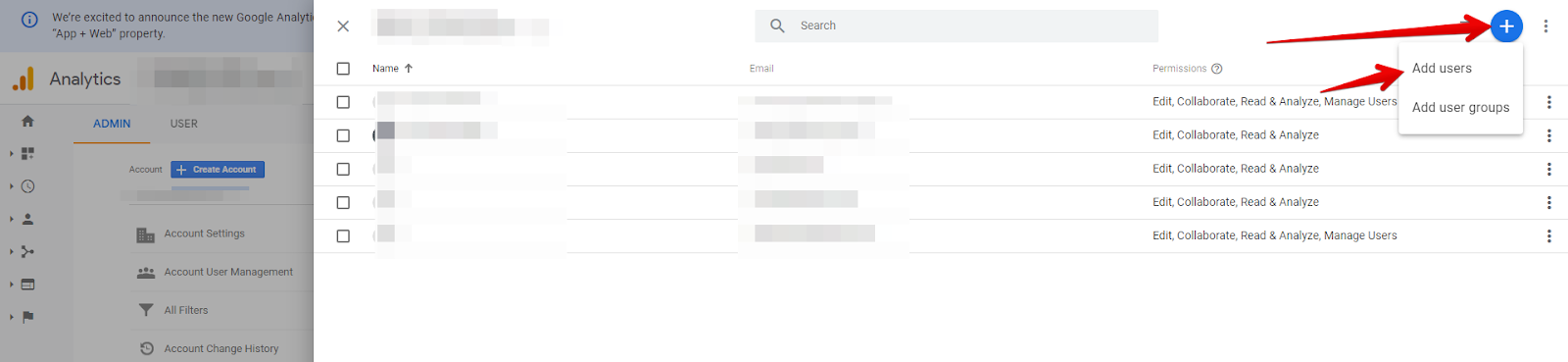
Click on the blue "+" button and enter the email address of the person you are giving access to.
Be sure to check the boxes :
Edit ✅
Collaborate ✅
Read & Analyze ✅
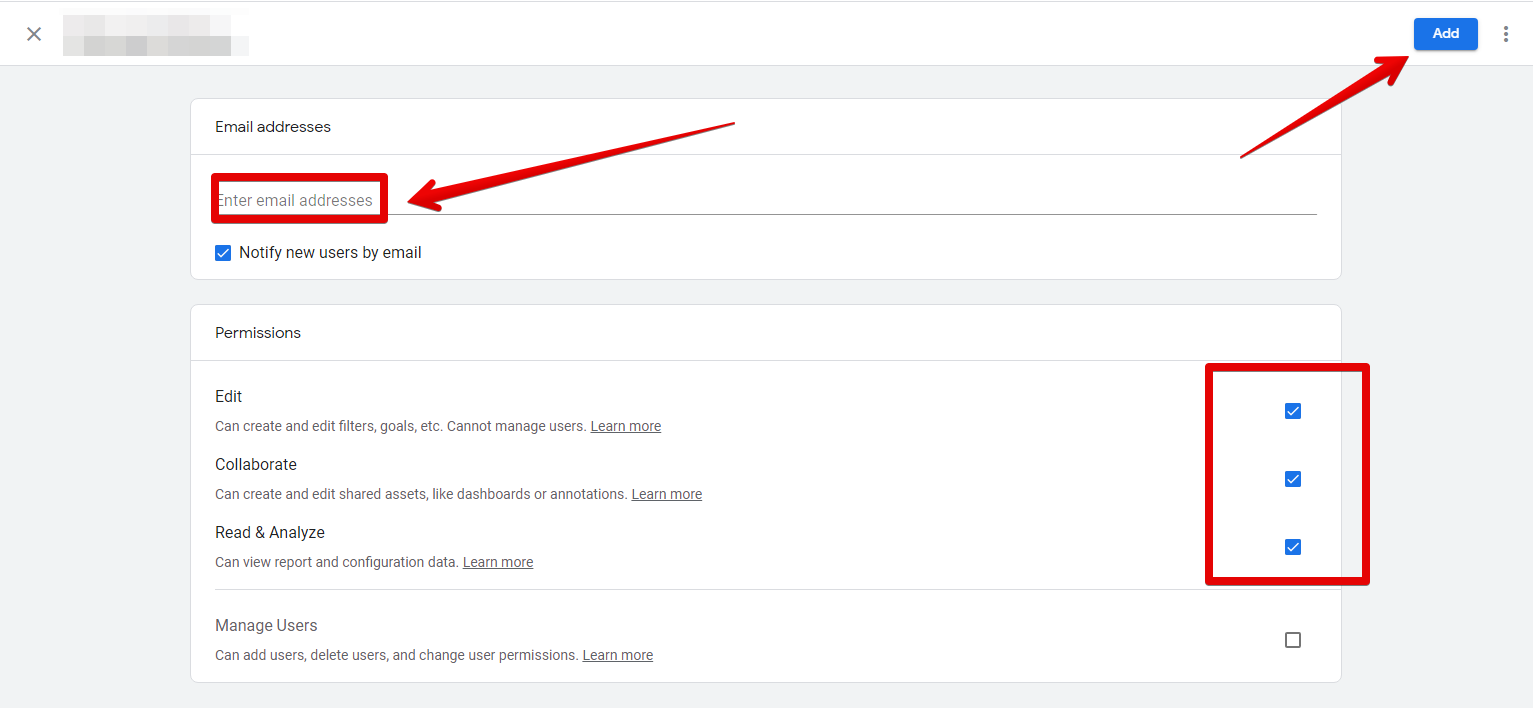
That's it, access to Google Analytics is granted!